

Some example Flows
These are a few example flows that you can refer to while creating your own custom flows.Syncing Customers to Zenskar
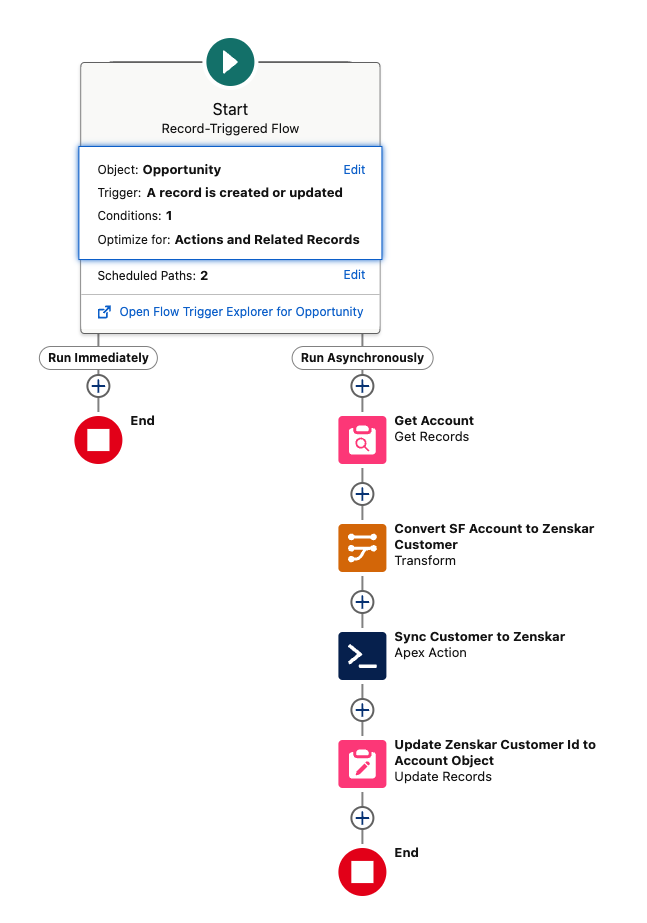
- Get records from the Account object.
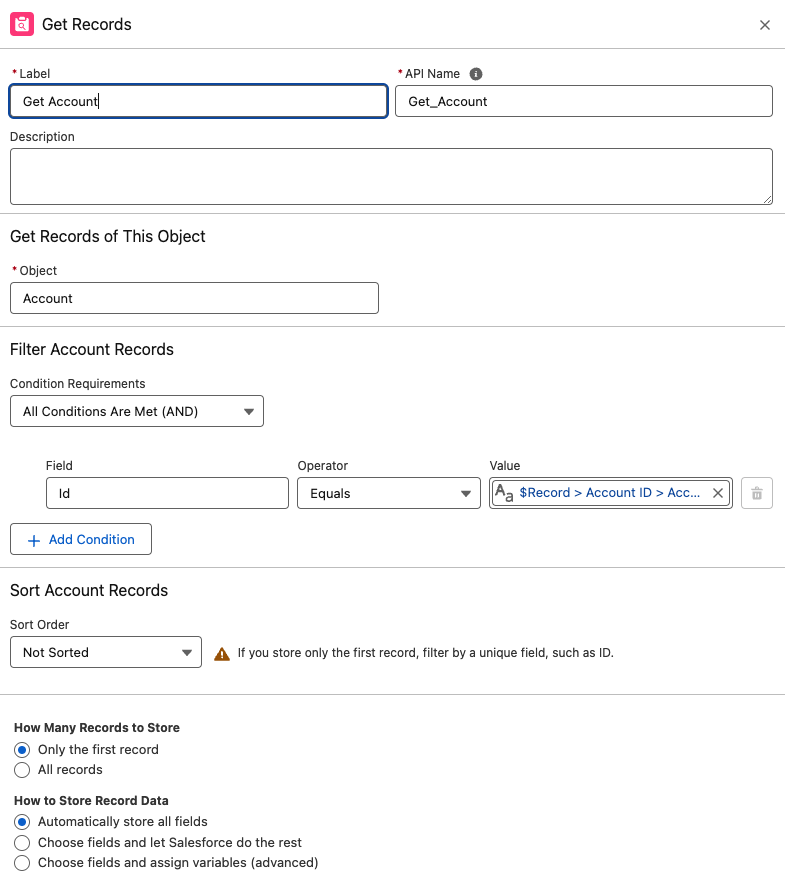
- Map account details to the
ZenskarCustomerobject.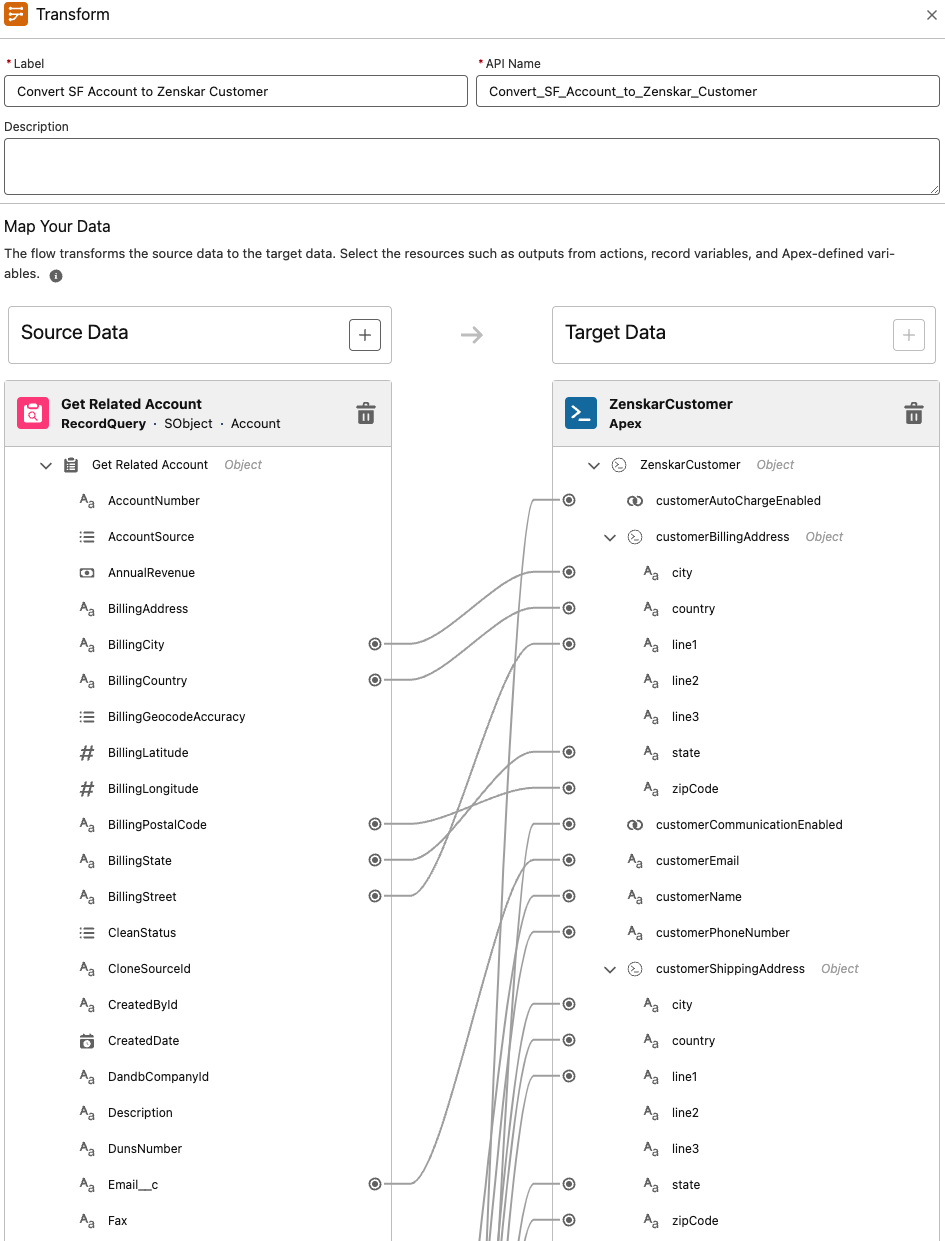
Note: There are custom fields available in package, you show them on layout and use that in flows. Check Layout Section in Account Object in SF after package install
- Add fields of Transformed Data to Zenskar Sync Customer Apex Action.
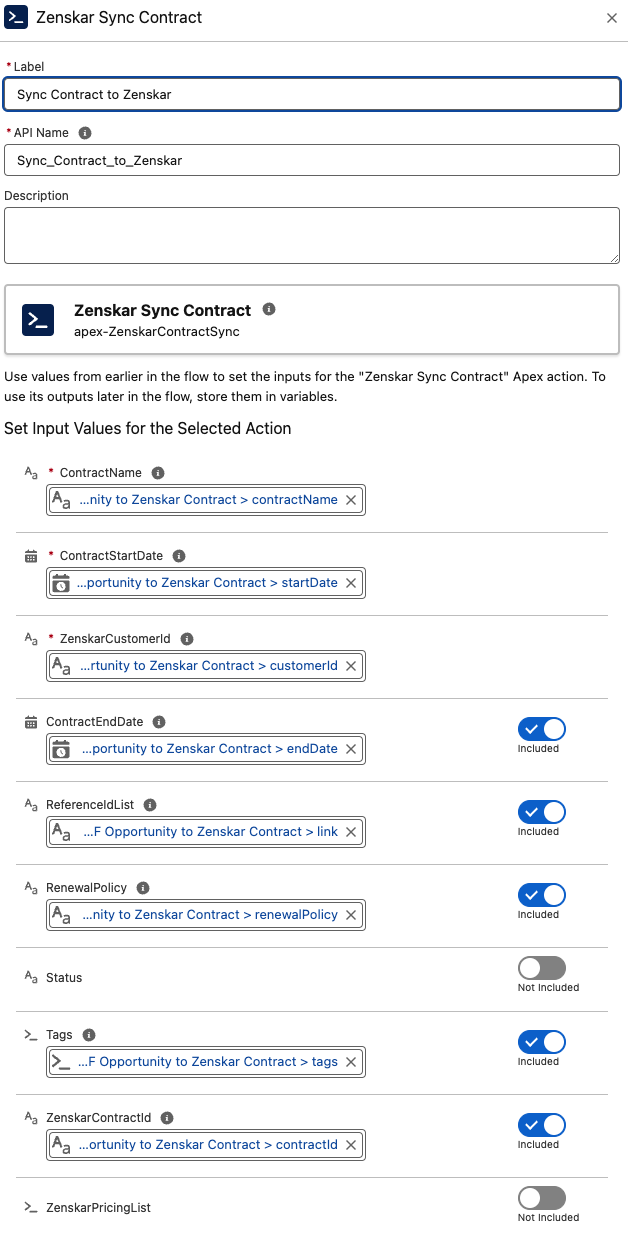
- Update Zenskar Customer ID to Related Object so Updates can be synced.
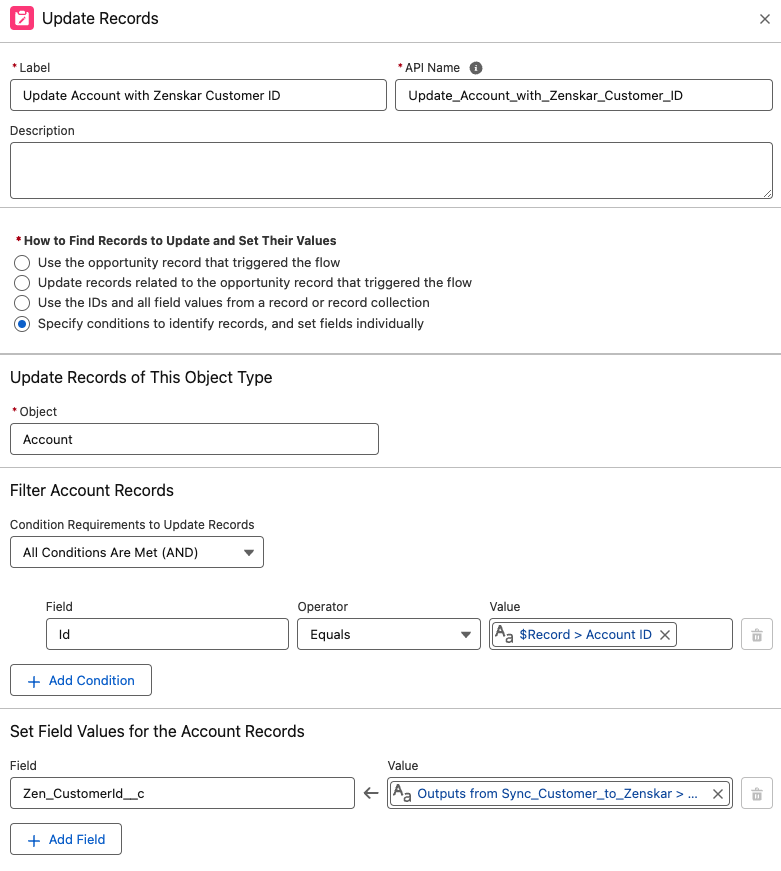
Syncing Contracts
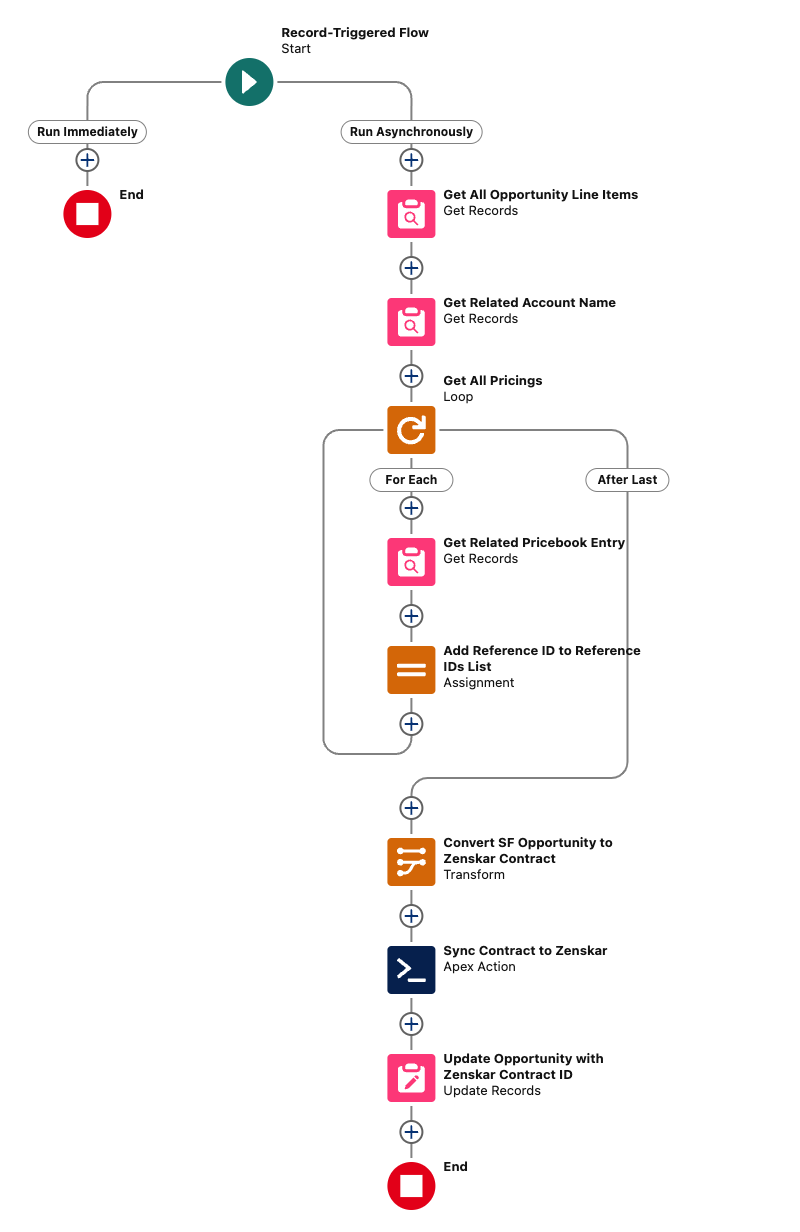
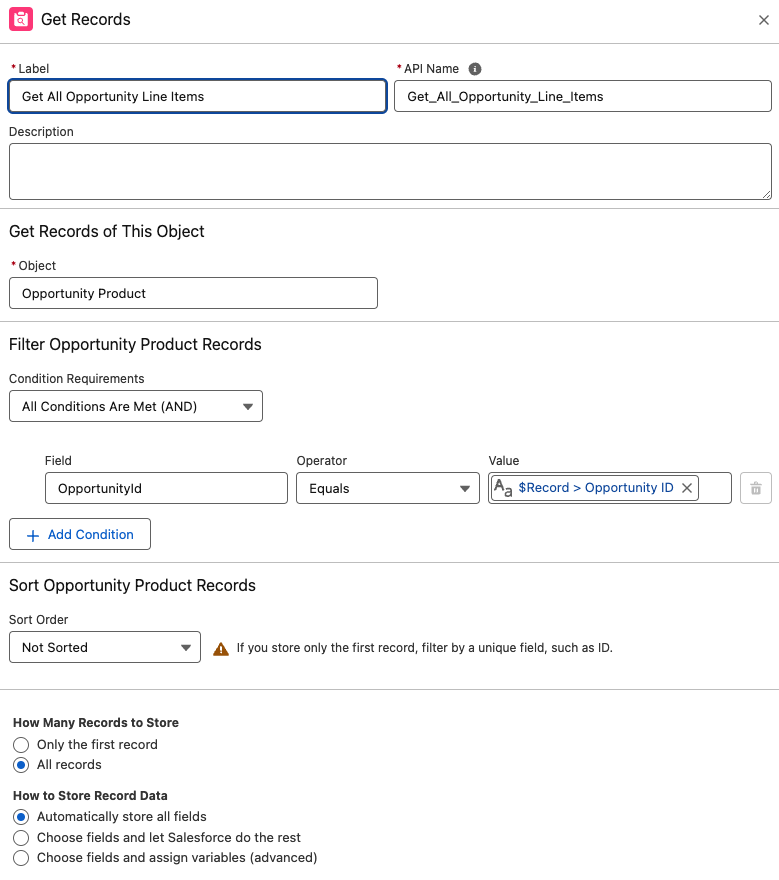
- Retrieve all Opportunity Line Items for the triggering Opportunity.
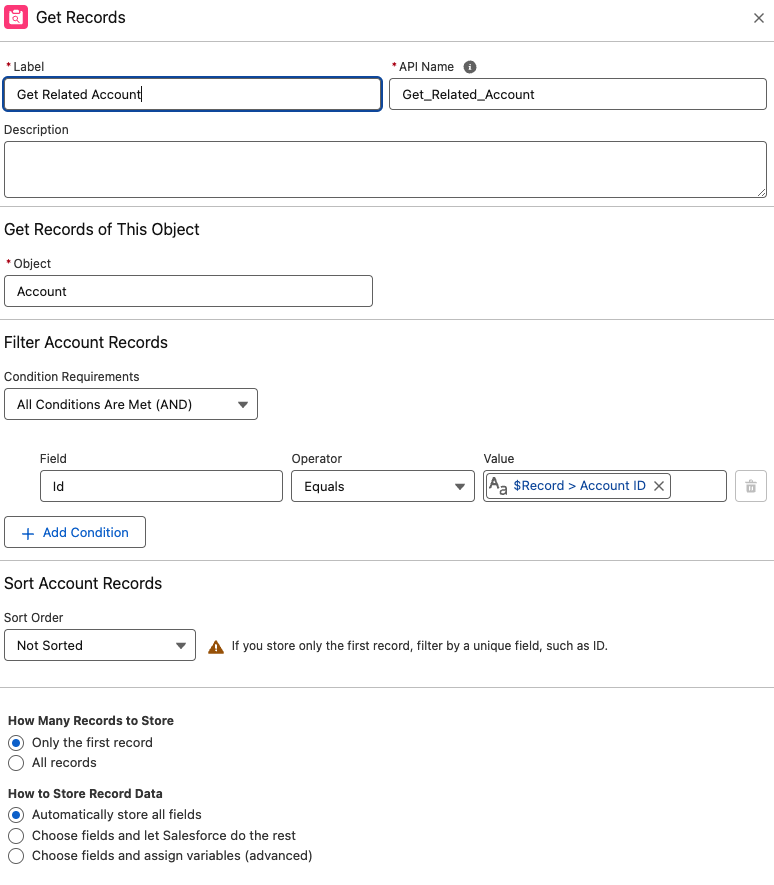
- Get Related Account for Triggering Opportunity.
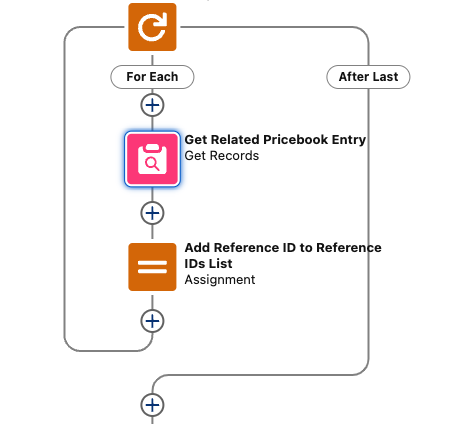
- Loop over Opportunity Line Item and Get PriceBookEntry for each Opportunity Line Item. Add Pricebookentry’s Link ID(Zenskar) to a Collection of String (ReferenceIDs List).
- Convert the Salesforce Opportunity to a
ZenskarContractobject.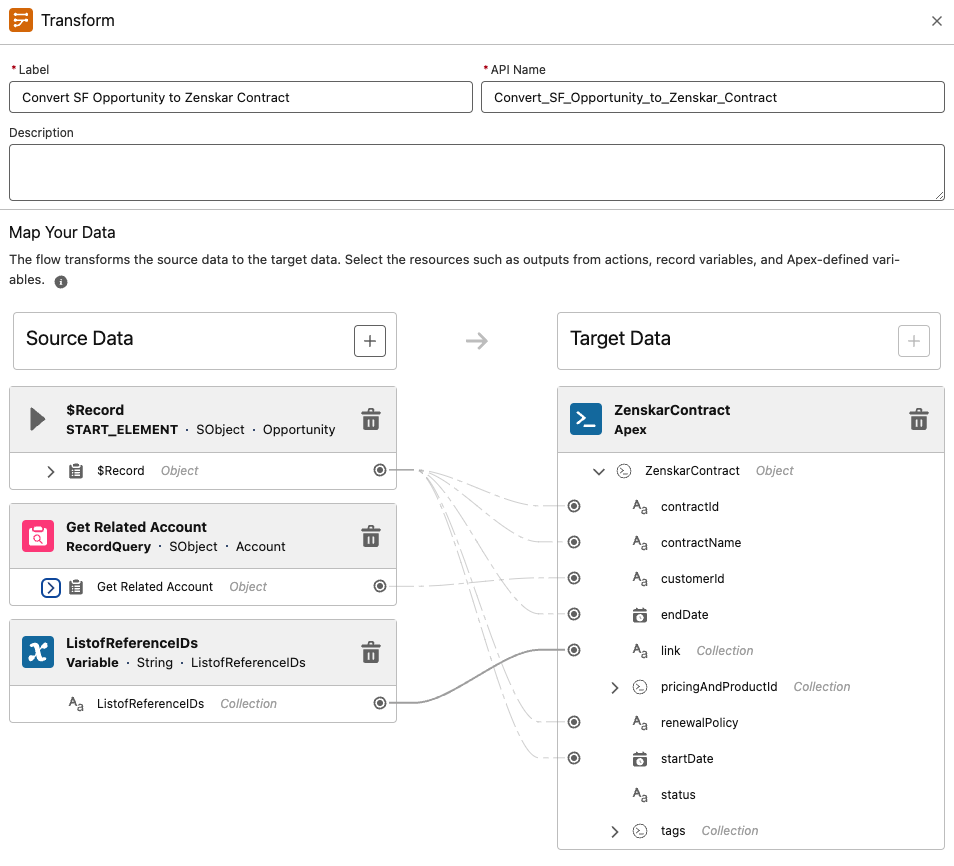
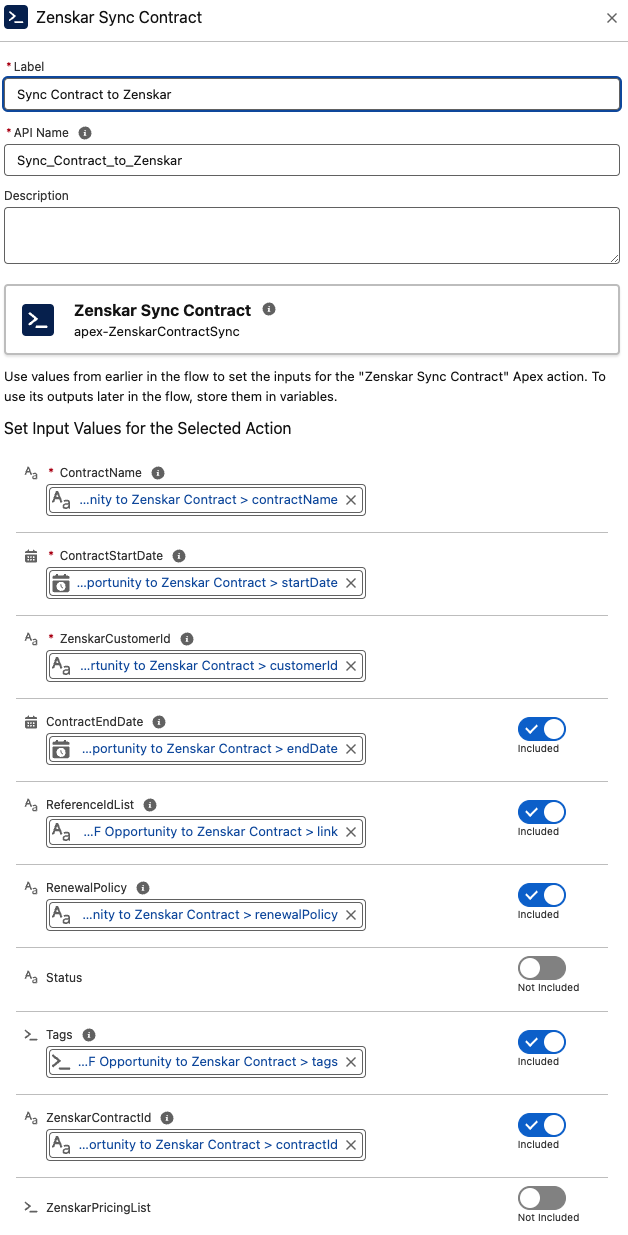
- Add Zenskar Sync Contract Apex Action and Use Data from Transformer(Convert SF to Zenskar Contract).
- Update the Opportunity with the
ZenskarContractId.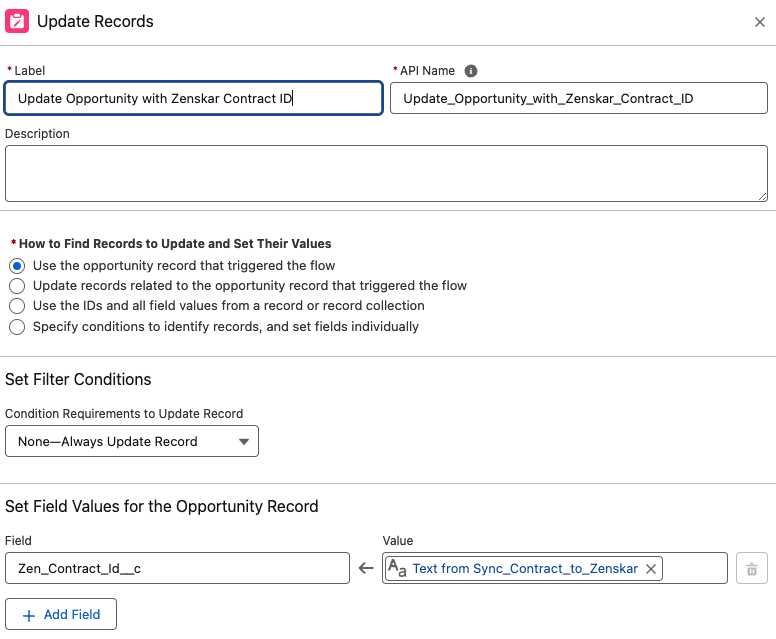
- Sync with Zenskar
- Close the Opportunity as ‘Won’ to automatically create and sync data to Zenskar.
Package components
Apex Actions
These actions are provided in our Salesforce package to sync data from Salesforce to Zenskar.Zenskar Customer sync
Creates or updates a customer on Zenskar. This action is required to create a contract. Inputs
Output
Zenskar Contract Sync
Creates or updates a contract on Zenskar. Inputs
Output
Zenskar Get Contract
Fetches a contract from Zenskar. Input
Output
Zenskar Get Customer
Fetches a customer from Zenskar. Input
Output
Zenskar Create Product
Creates or updates a product on Zenskar. Inputs
Output
Zenskar Get Pricing
Fetches pricing from Zenskar. Input
Output
Zenskar Create Pricing
Creates per-unit pricing on Zenskar. Inputs
Output
Apex classes
You can use Apex classes to store data.ZenskarAddress
ZenskarBillingPeriod
ZenskarContract
ZenskarCustomer
ZenskarDiscountFeature
ZenskarPerUnitPricing
ZenskarPricing
ZenskarPricingAndProductId
ZenskarProduct
ZenskarQuantity
ZenskarTags
Custom Fields Summary
Account
AutoChargeInvoice (Zenskar)CustomerID(Zenskar)- External ID (Zenskar)
Opportunity
- Contract End Date (Zenskar)
- Contract Renew Policy (Zenskar)
Product
ProductID(Zenskar)
PriceBookEntry
LinkID(Zenskar)