

Concepts
Anrok is a cloud service that calculates and files sales tax and VAT. In Zenskar, Anrok is a third-party tax engine. When a served country uses Anrok as its tax engine, Zenskar asks Anrok to calculate the tax on invoices for that country. For how tax categories, served countries, and tax engines work together, see Tax configuration.Anrok connections
An Anrok connection links one Anrok account to one Zenskar business entity. An Anrok connection uses an Anrok API key. The API key determines the Anrok account. The same connection form works for Anrok sandbox accounts and production accounts.A business entity can have only one third-party tax engine connected. Zenskar rejects an Anrok connection for a business entity that already has another third-party tax engine.
Anrok tax codes
An Anrok tax code is the identifier of a product tax category in Anrok. Anrok uses the product tax category to decide how a type of goods or services is taxed. Anrok tax codes are the third-party tax codes of Anrok. You map a Zenskar tax category to an Anrok tax code. The list of Anrok tax codes combines the catalogs of all Anrok accounts connected in your organization. The mapping applies in every business entity that uses Anrok. Anrok has standard tax codes and custom tax codes. A custom tax code exists only in the Anrok account that created it. The ID of a custom tax code starts withsptc.
If different business entities use different Anrok accounts, each Anrok account must offer every Anrok tax code that you map. The combined list can show a custom tax code that only one account offers. If an account does not offer a mapped code, contract activation fails for that account’s business entity.
If a mapped Anrok tax code no longer exists in Anrok, Zenskar shows the code with the label “(not in Anrok)”.
Anrok products
An Anrok product is a record in Anrok that links a Zenskar product to an Anrok tax code. Anrok calculates tax for a line item only if the line item refers to an Anrok product. Zenskar creates Anrok products for you. The ID of an Anrok product has the following form:
Zenskar sets the name and description of an Anrok product only when it creates the product. Later changes in Zenskar do not update the Anrok product.
When you change the Anrok tax code of a tax category, Zenskar creates new Anrok products. The previous Anrok products stay in Anrok.
Anrok customer links
An Anrok customer link connects a Zenskar customer to an existing customer in Anrok. The link determines how Zenskar identifies the customer to Anrok:
In both cases, Zenskar also sends the customer’s billing address and tax ID.
Anrok applies the exemption certificates of the Anrok customer that Zenskar identifies. Anrok does not use the Zenskar
exempt_tax custom attribute.
A link belongs to the Anrok connection of the customer’s business entity. One Anrok customer can be linked to only one Zenskar customer. You can change a link, but you cannot remove it. Disconnecting Anrok removes all links of that connection.
Address validation
When you save a customer whose business entity has Anrok connected, Zenskar asks Anrok to validate the customer’s default billing address. The validation runs in the background. If Anrok reports the address as invalid, activating a contract for the customer fails. An address that Anrok has not validated yet does not block activation.Tax on contracts and invoices
Zenskar works with Anrok at the following points:
Invoice generation fails in the following cases:
- A tax category in the contract has no Anrok tax code.
- The business entity’s address has no country. Anrok needs the address from which the sale is made.
Approval
At approval, Zenskar holds the invoice in the following cases:- The tax inputs of a line item changed after invoice generation. Tax inputs include the customer’s address, tax IDs, custom attributes, and Anrok customer link, the Anrok tax code, and the Anrok connection.
- The recalculated tax differs from the invoice’s tax by more than your organization allows.
- The invoice has line items in future billing periods that Anrok has not priced yet.
- Zenskar cannot reach Anrok, or Anrok returns an error.
Recording the transaction
After approval, Zenskar records the invoice’s tax in Anrok as a transaction. Zenskar tries up to five times. Zenskar sends the invoice email only after Anrok records the transaction. If Anrok does not record the transaction, the invoice stays approved. Zenskar does not send the invoice email. The ID of an Anrok transaction starts withzenskar: followed by the Zenskar invoice ID.
How-to guides
Connect Anrok
Prerequisites
- You have an Anrok API key. You create API keys in Anrok, under Settings > Manage API keys.
- The business entity does not have another third-party tax engine connected.
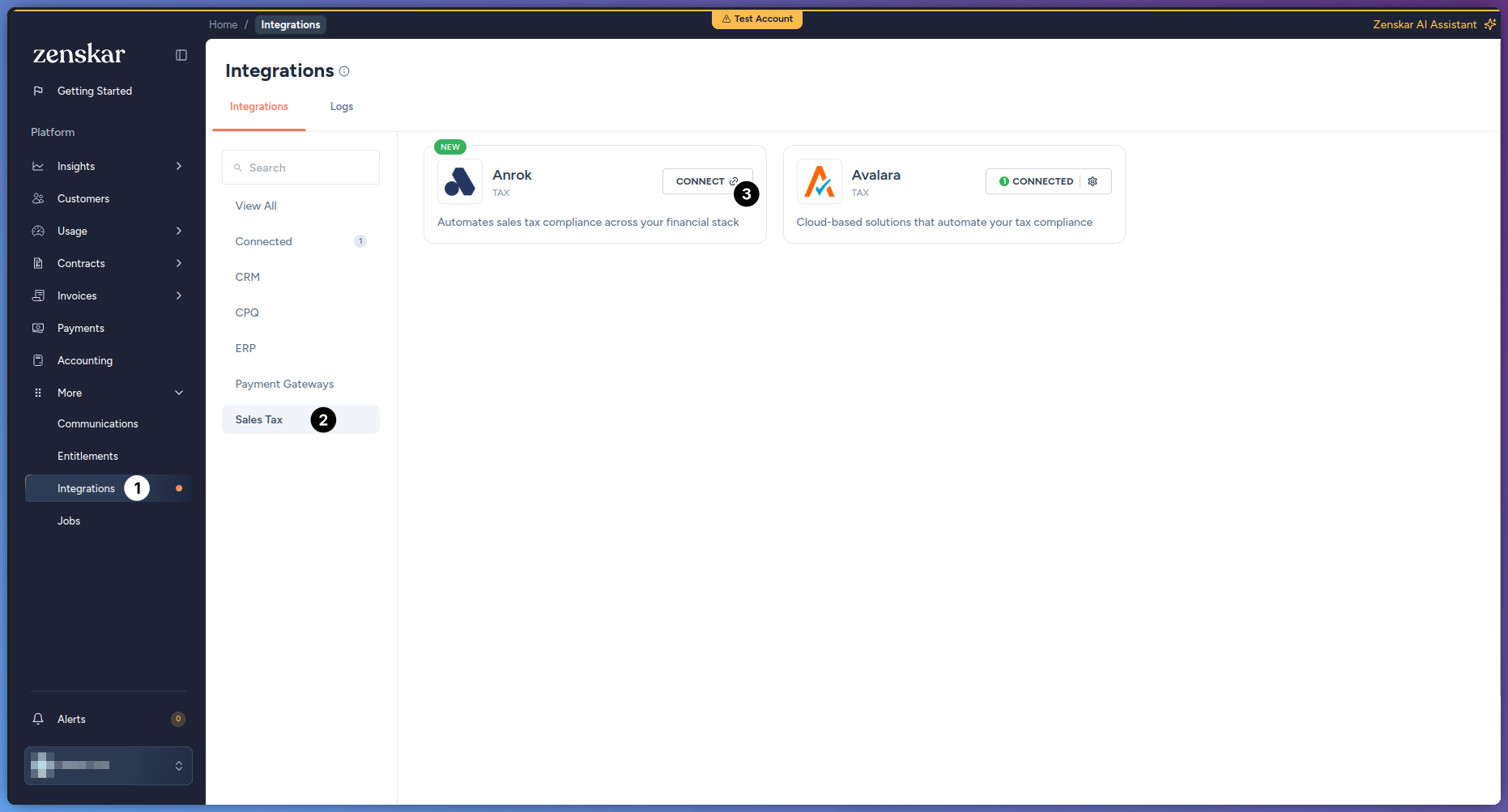
- Go to More > Integrations.
-
Click the Anrok card. To find the card, you can filter by Sales Tax.
-
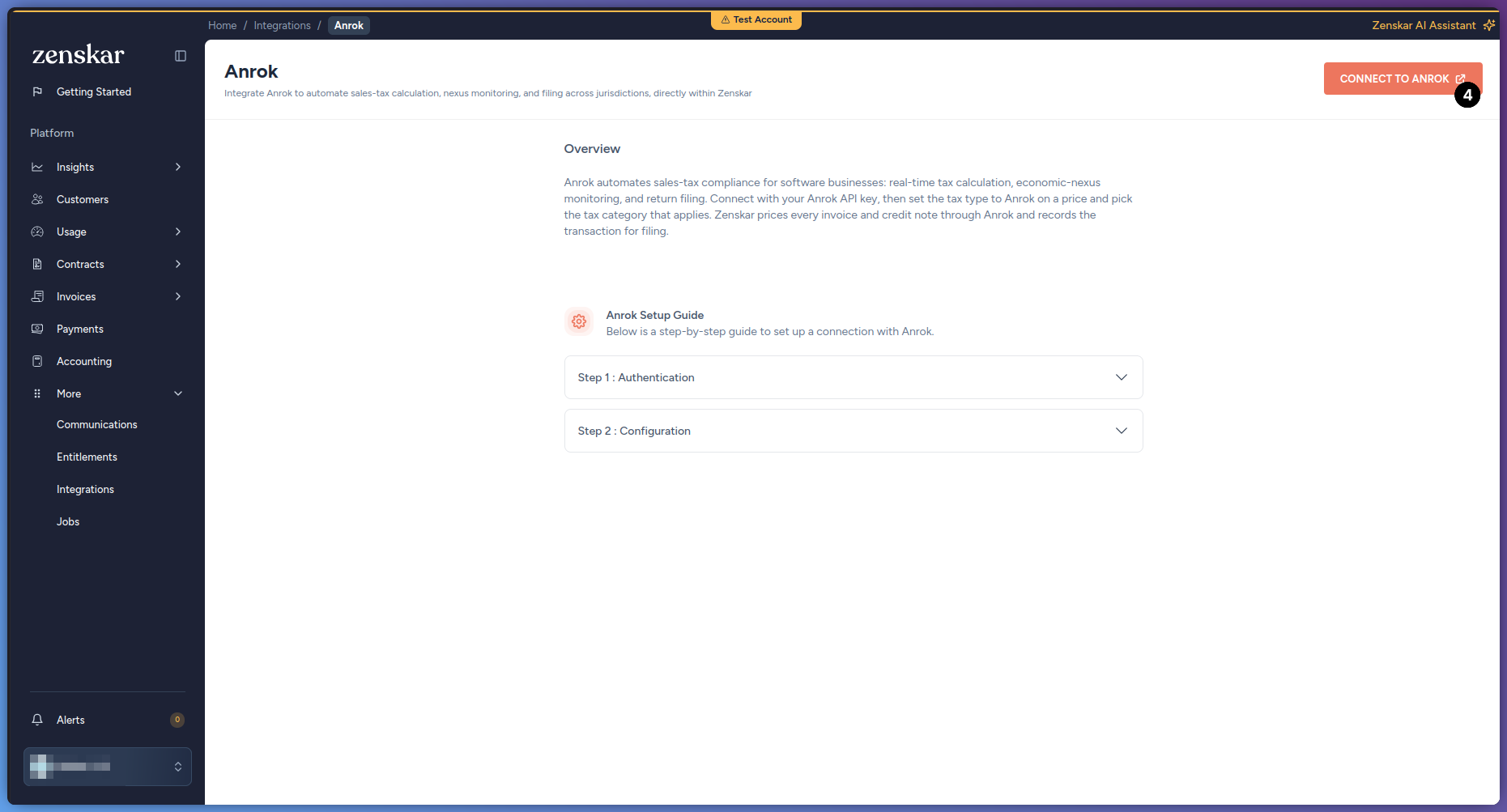
Click NEW CONNECTION.
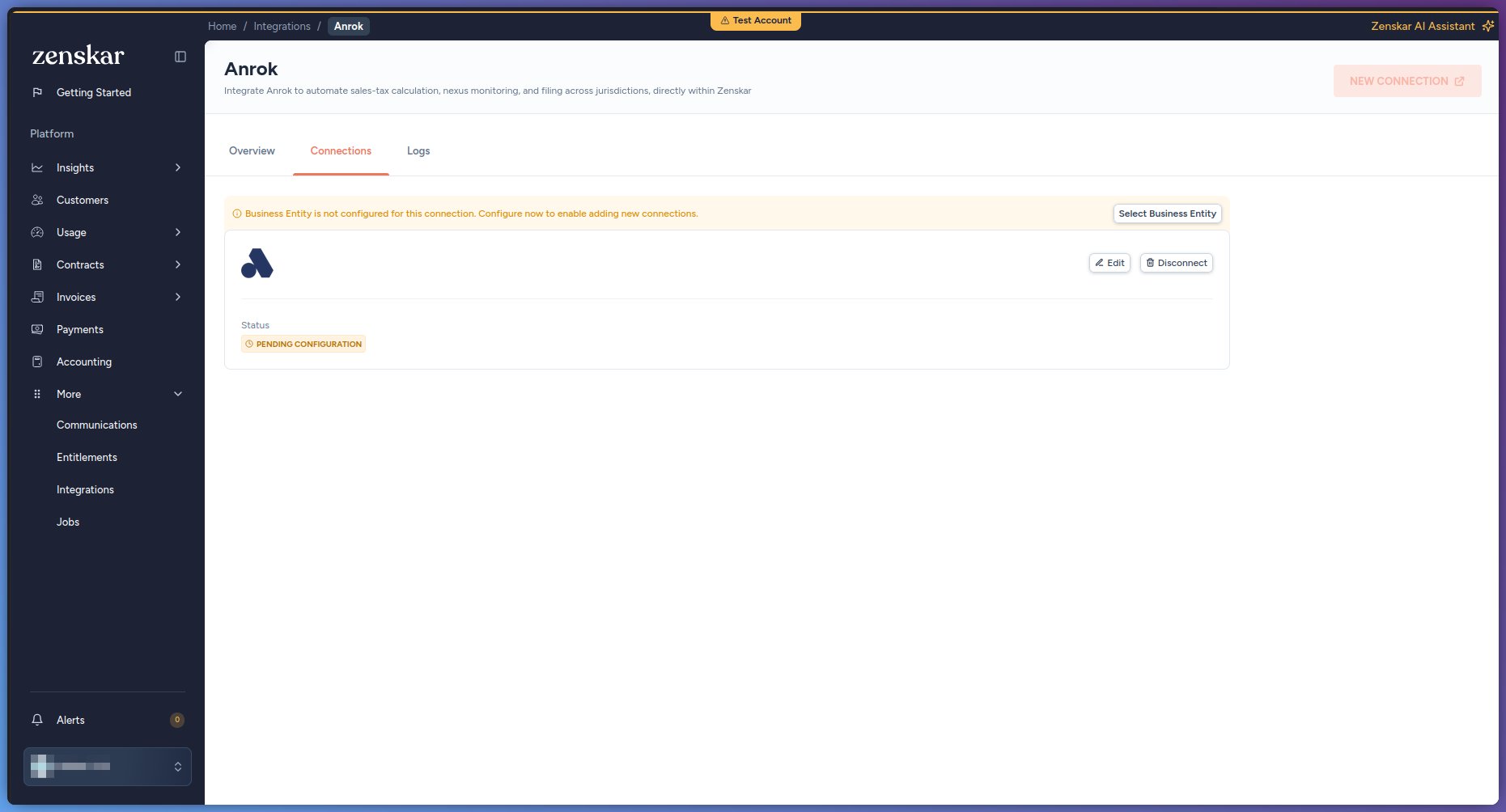
 NEW CONNECTION is unavailable while an existing Anrok connection has no business entity. To continue, click Select Business Entity on that connection.
-
In API Key, enter your Anrok API key.
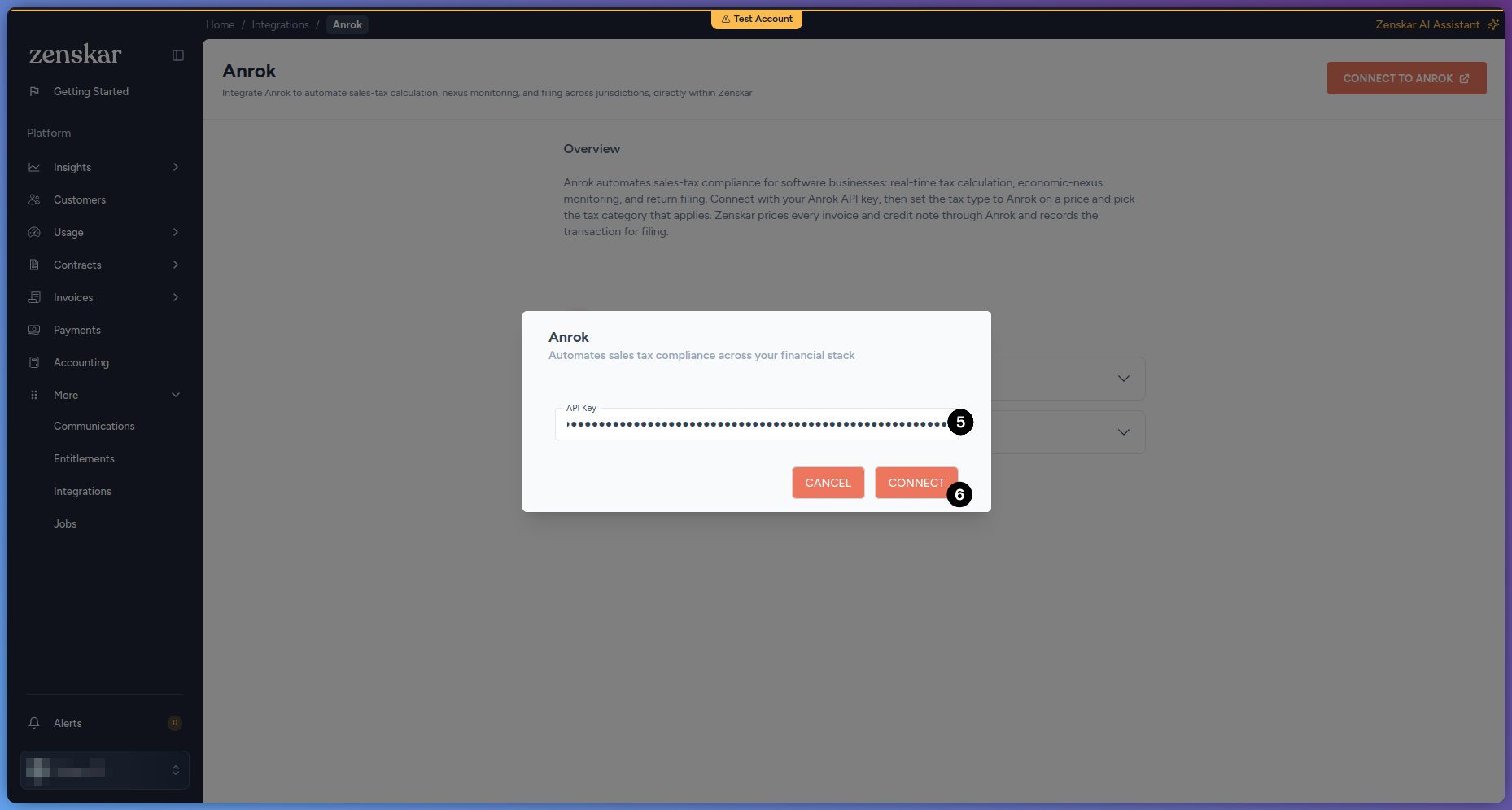
- Click Connect. If the API key is valid, the Anrok Setup page opens at the Connect step. If the API key is not valid, Zenskar shows the message Invalid Credentials.
-
In Select Zenskar Entity, select the business entity.
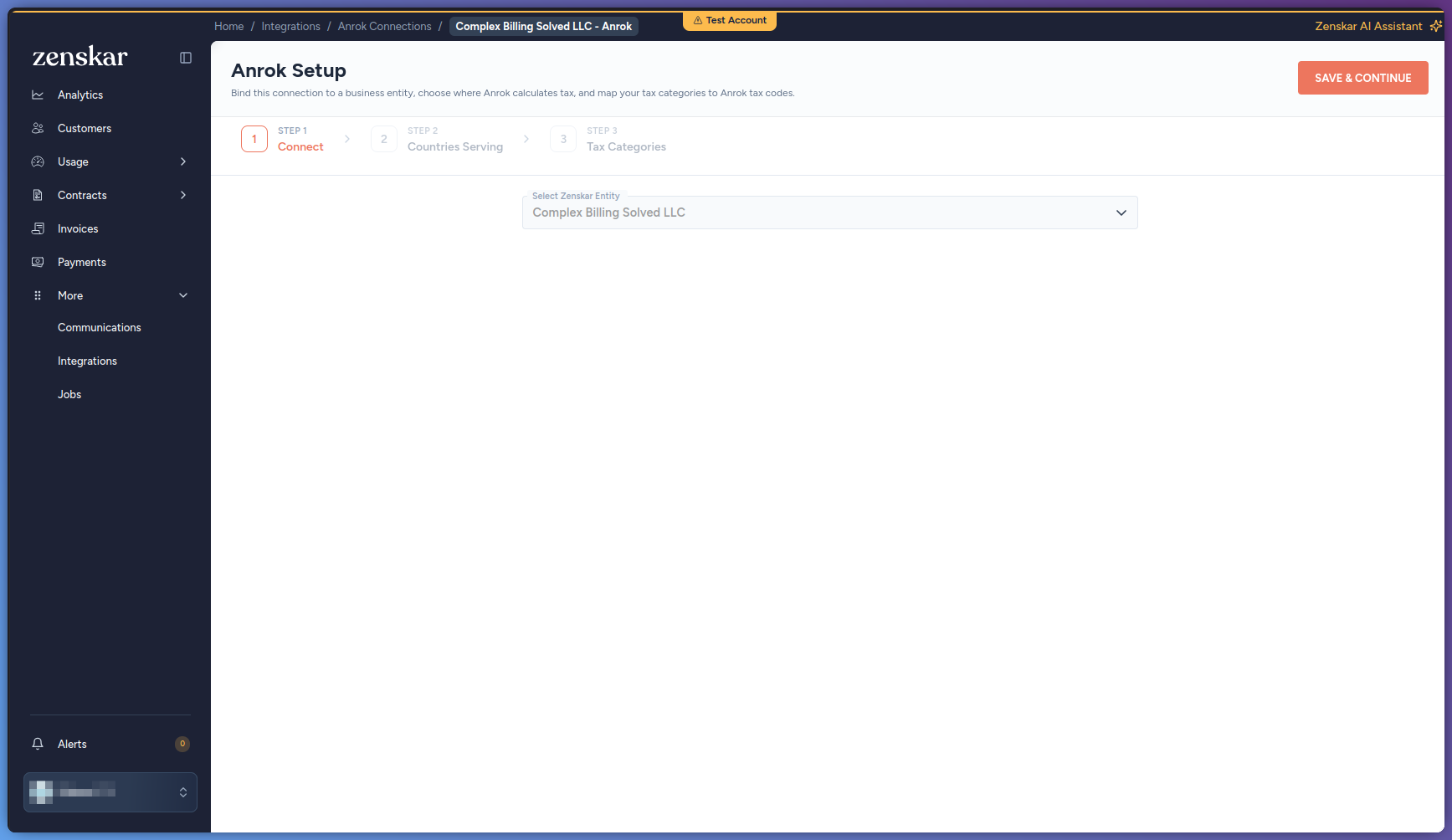
- Click Save & Continue.
-
On the Countries Serving step, add or edit the countries that Anrok calculates tax for. In Tax Engine, select Anrok. For details, see Manage served countries.
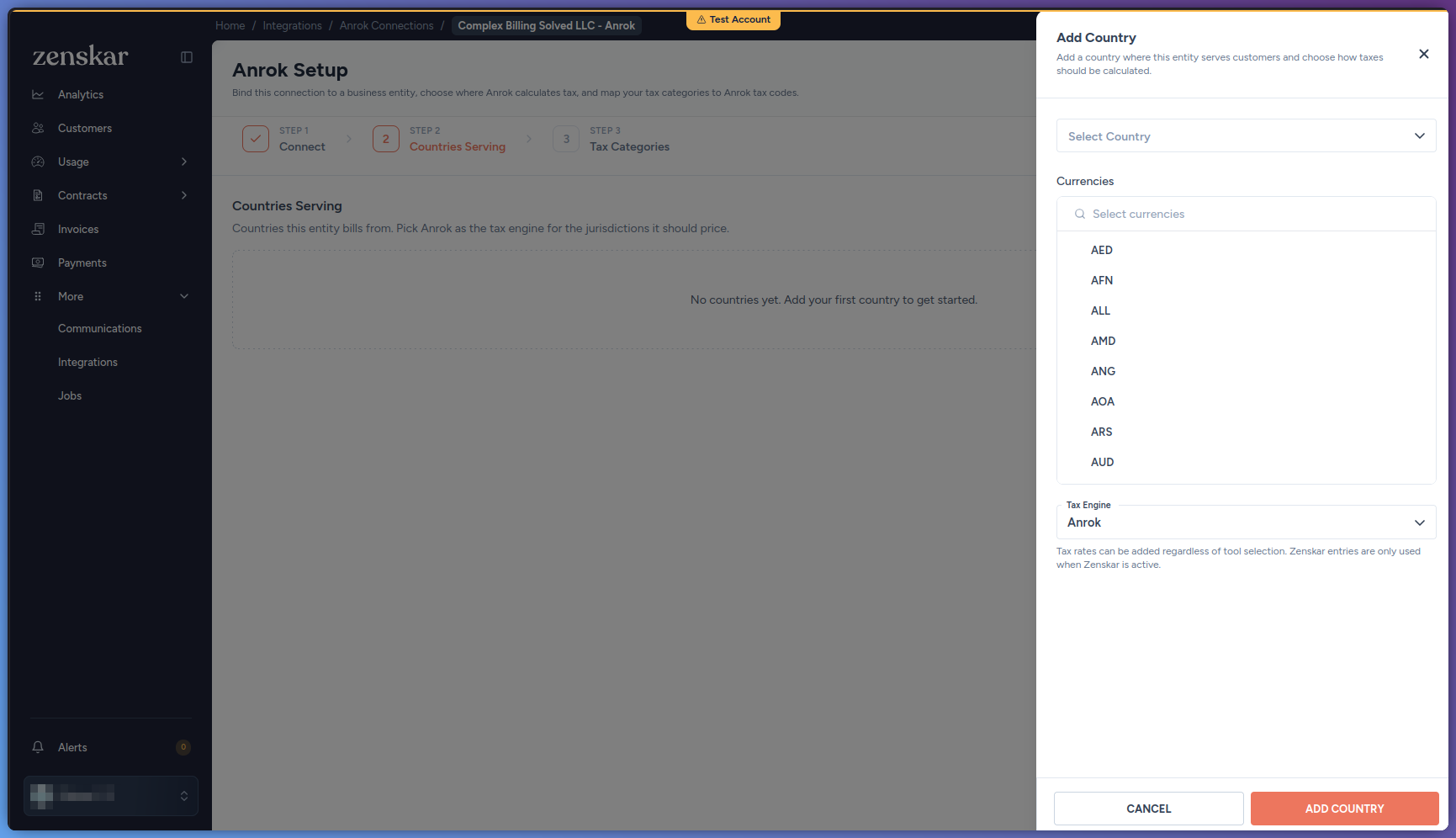
- Click Continue.
-
On the Tax Categories step, set the Anrok Tax Code of each tax category that your products use. For details, see Map a tax category to an Anrok tax code.
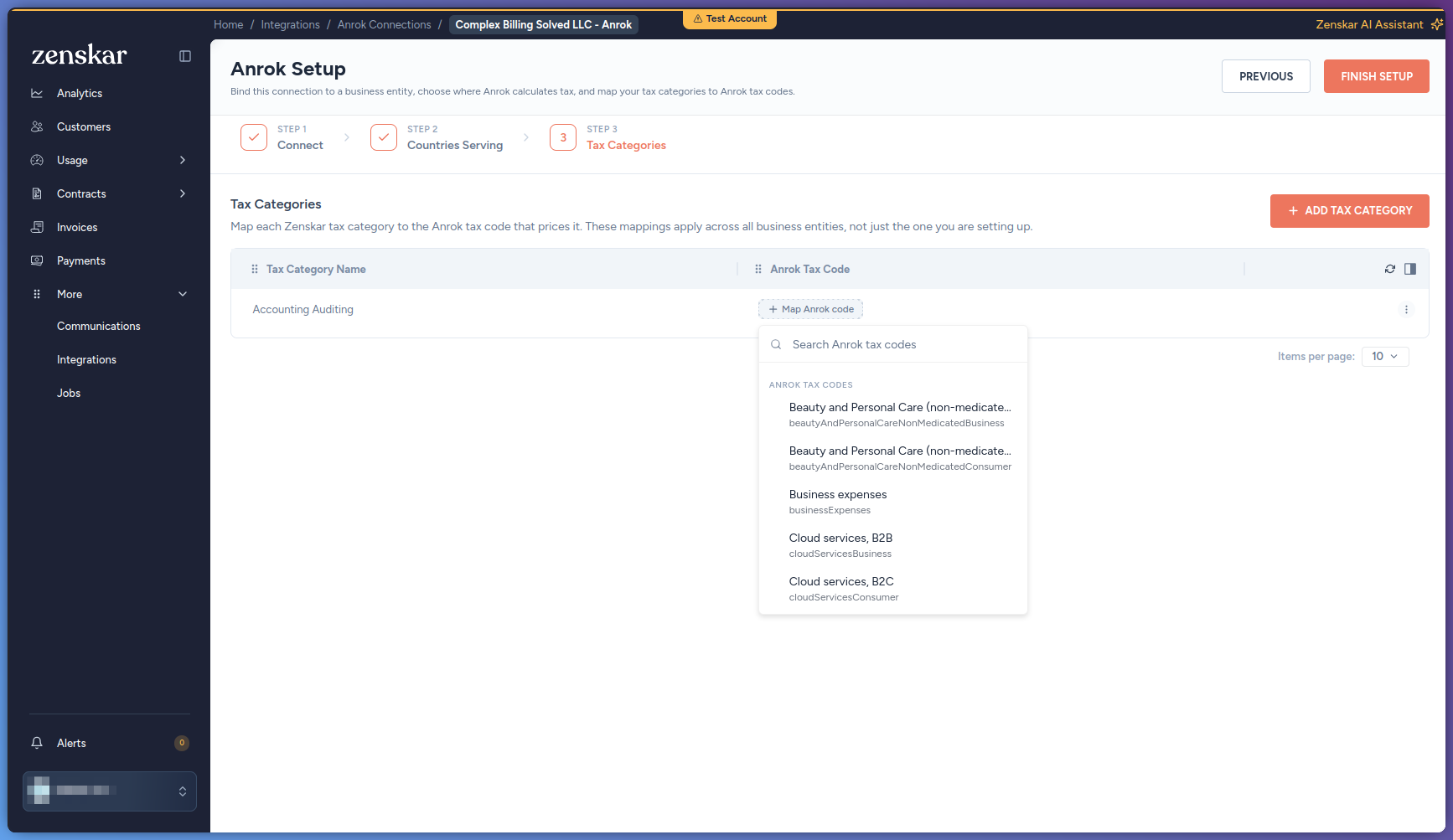
- Click Finish Setup.
Map a tax category to an Anrok tax code
Prerequisites
- Connect Anrok. The Anrok Tax Code field appears only after you connect Anrok.
- Go to Settings > Tax Configuration.
- On the Tax Categories tab, in the tax category’s actions menu, click Edit.
-
In Anrok Tax Code, search for the Anrok tax code, and then select it.
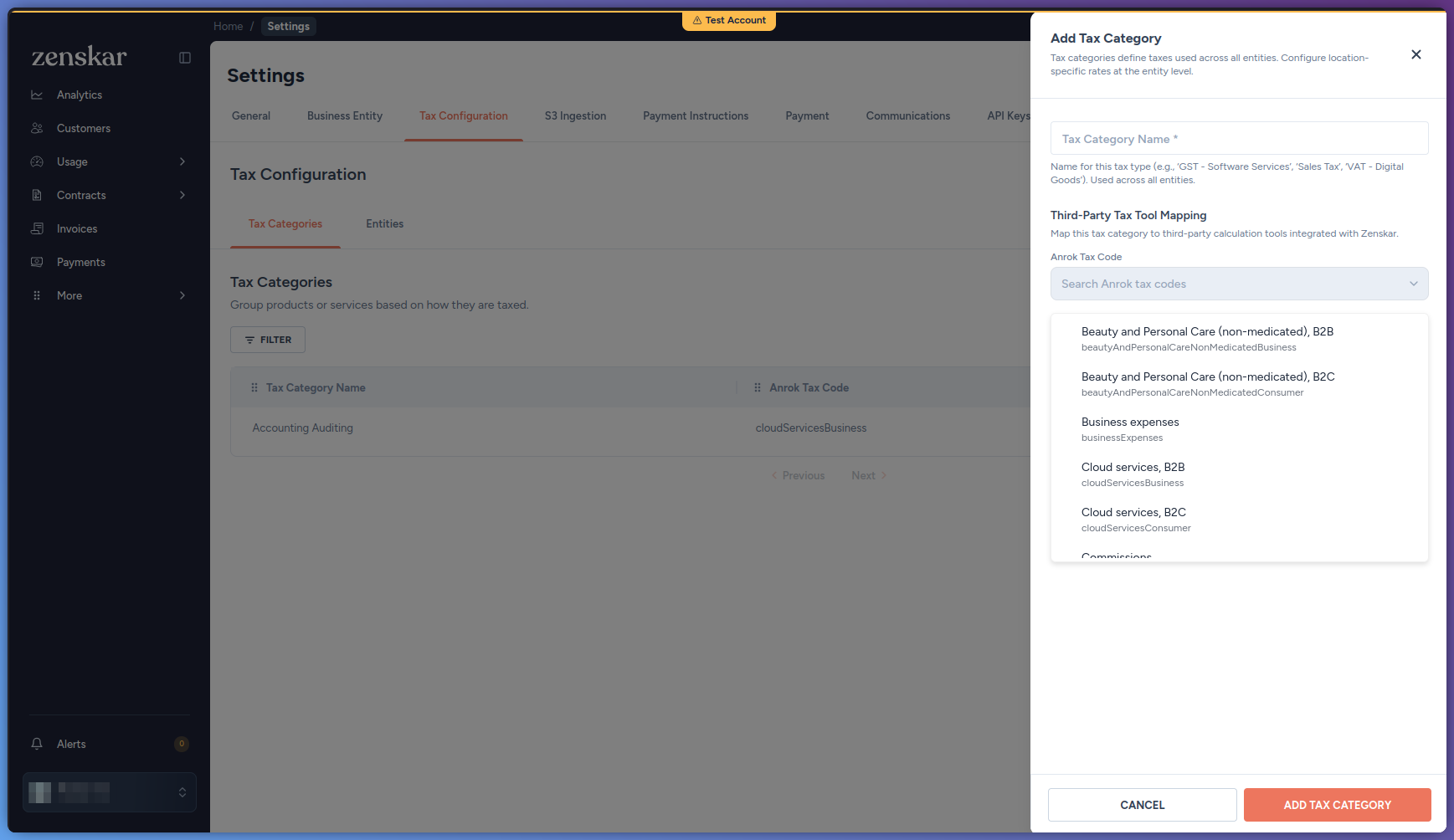
- Click Save Changes.
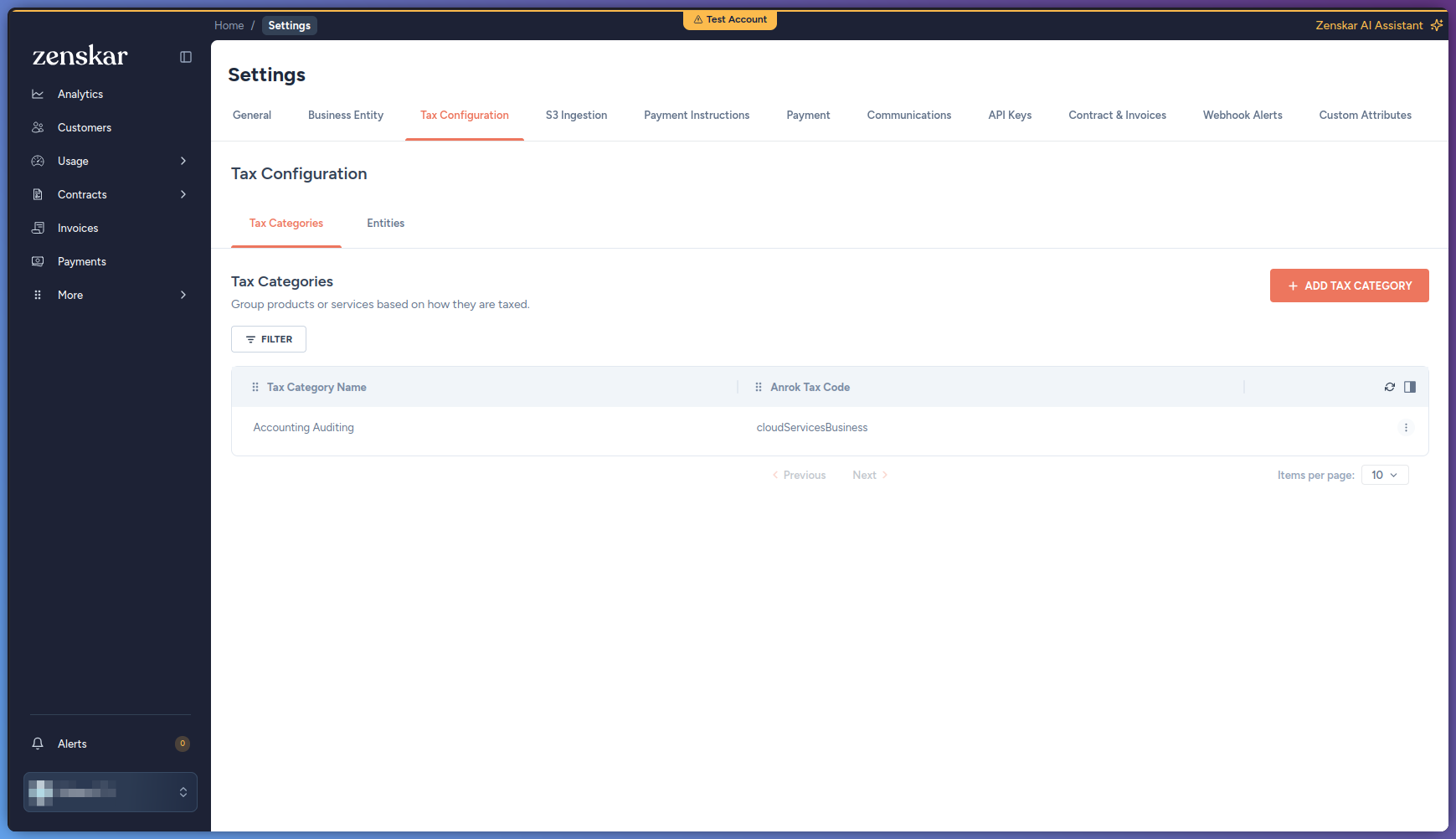 Zenskar registers the products that use the tax category with Anrok in the background.
Link a customer to an Anrok customer
Prerequisites
- Anrok is connected to the customer’s business entity.
After you link a customer, you cannot remove the link. You can only change it to another Anrok customer.
- Go to Customers, and open the customer.
- Click the Integrations tab.
- Under Linked Integration Objects, click Add Anrok ID. The Add Anrok ID dialog opens.
- In Anrok customer ID, enter the exact customer ID from Anrok.
- Click Look up. Zenskar shows the name and email of the Anrok customer.
- Click Save.
Check the Anrok transaction of an invoice
Prerequisites
- The invoice is approved, partially paid, paid, or void. The Integrations tab does not appear on other invoices.
- Go to Invoices, and open the invoice.
-
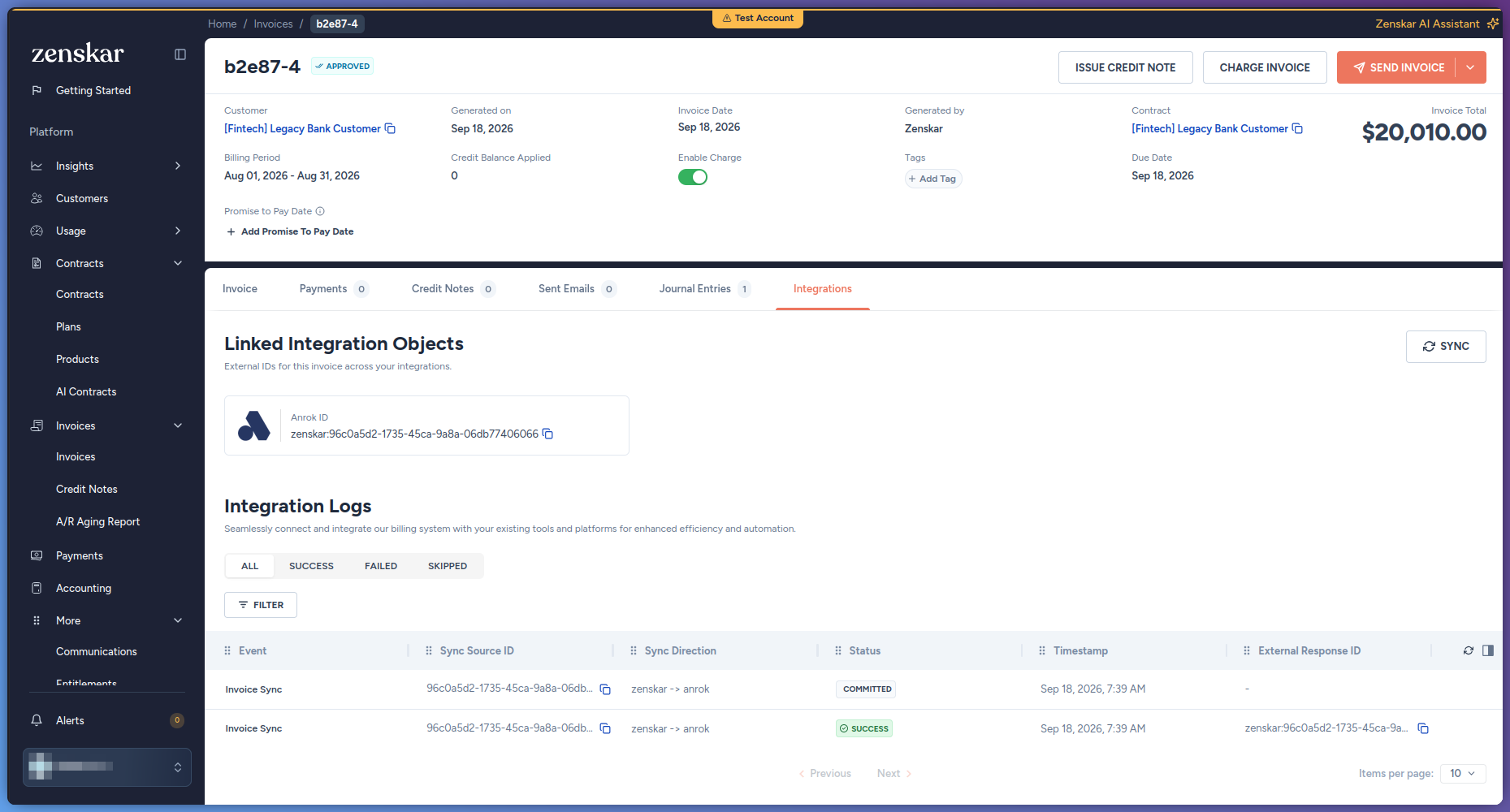
Click the Integrations tab.
Under Linked Integration Objects, the Anrok ID card shows the ID of the Anrok transaction. To copy the ID, click the copy icon next to it.
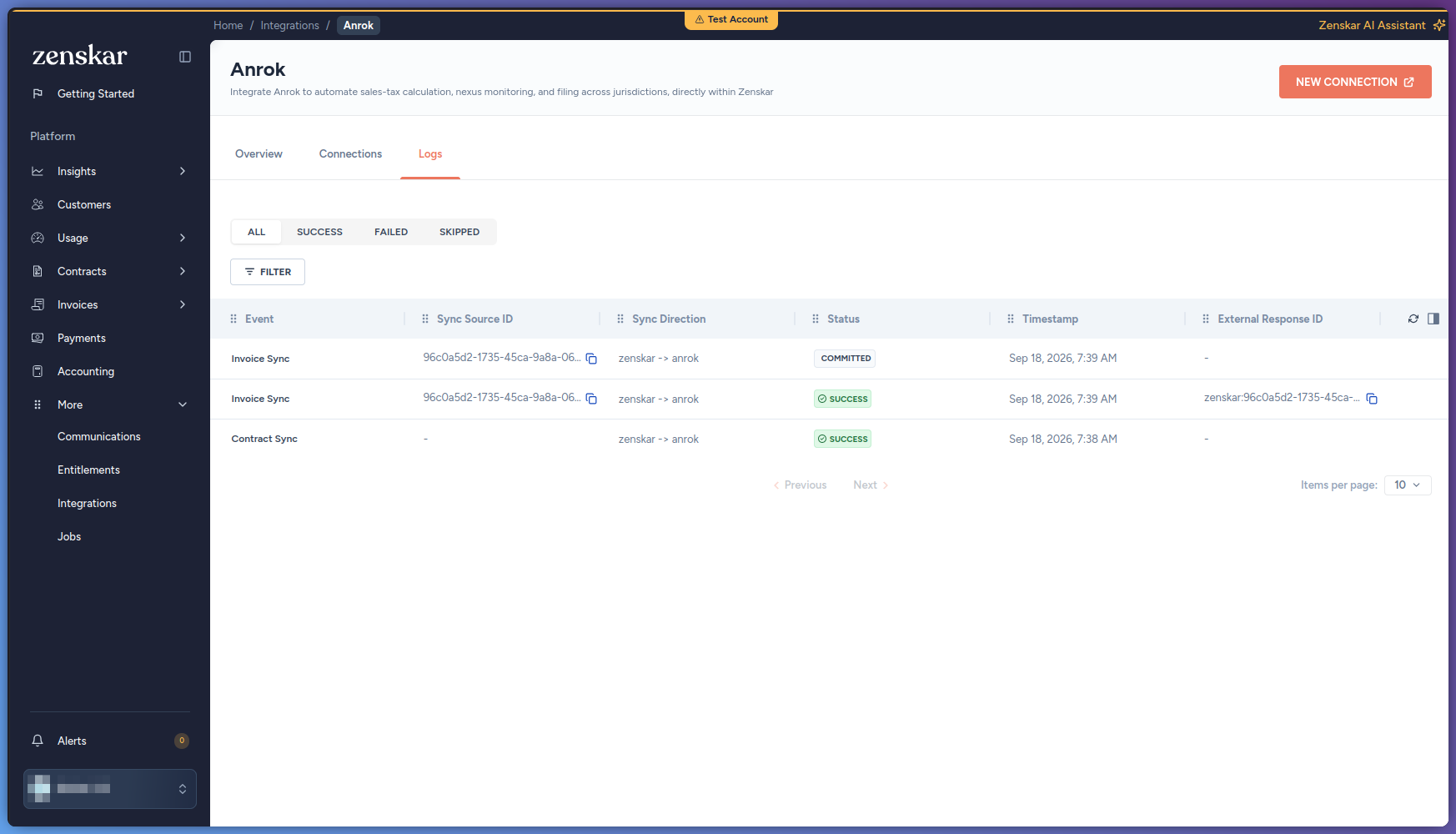
Under Integration Logs, each row is one sync event between Zenskar and Anrok for the invoice. The row shows the event, its status, and its timestamp. To show only failed events, click Failed.
-
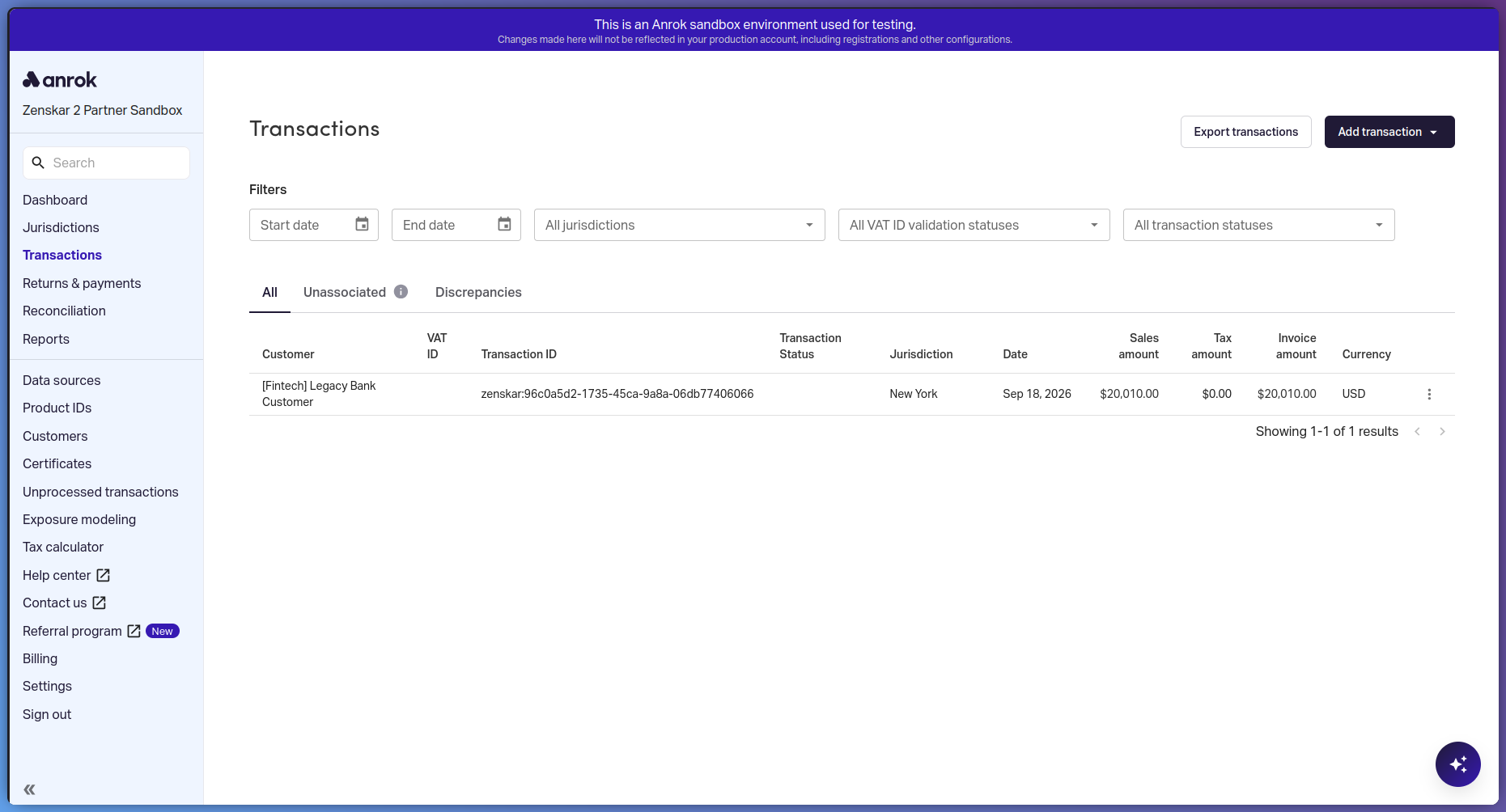
In Anrok, open Transactions, and search for the ID that you copied.
The transaction shows the customer, the jurisdiction, and the sales, tax, and invoice amounts. If the integration worked, the amounts match the invoice in Zenskar.
Disconnect Anrok
Disconnecting Anrok deletes all resource mappings of the connection, including the Anrok customer links. You cannot undo this. After you connect Anrok again, link each customer again. For steps, see Link a customer to an Anrok customer.
- Go to More > Integrations.
- Click the Anrok card.
- Click the Connections tab.
- On the connection, click Disconnect. The Delete Connector ID dialog opens.
- Click Delete.